INTRODUCING ACENTA
Meet Acenta: a secure managed agent for you
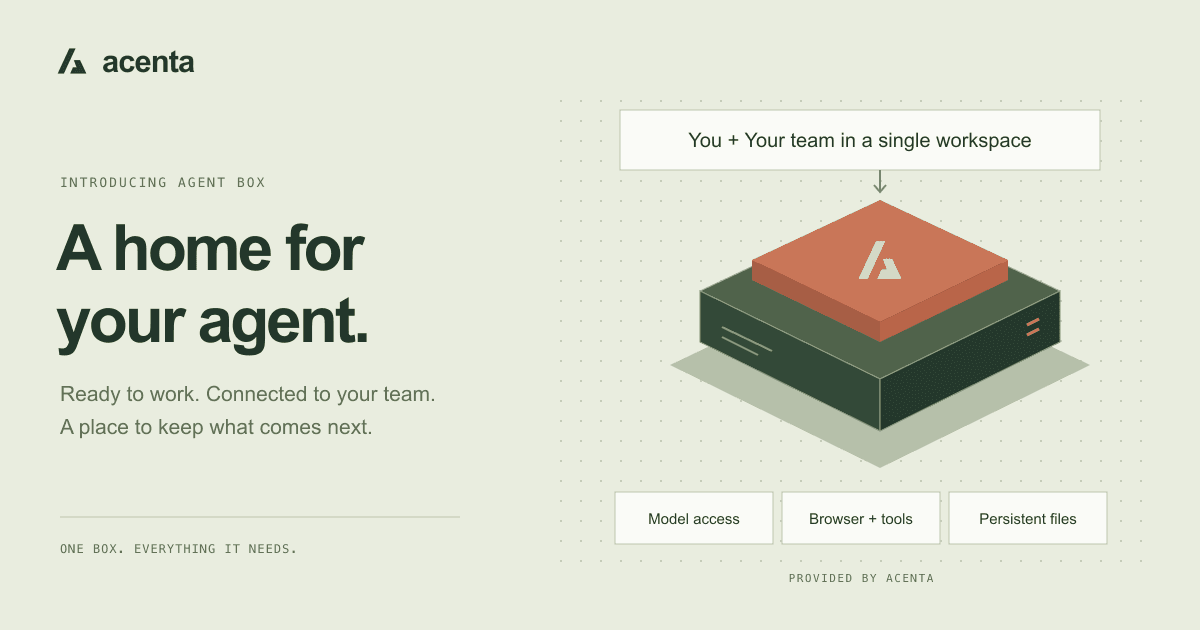
Your agent needs a place to run, tools to work with, and files it can return to. Acenta brings them together in one managed Agent Box, connected to OpenAgents Workspace.
You have a task in mind: research a purchase, turn meeting notes into a plan, or make sense of a spreadsheet. An agent could help. But before it can do the work, someone needs to set up its runtime, connect a model, configure tools, and decide where its files will live.
That setup is useful engineering work. It is also a lot to ask of someone who simply wants a useful result.
We’re building Acenta to make that first step easier. An Agent Box is a managed environment where your agent can run, use tools, and keep its work. It connects to OpenAgents Workspace, giving you a place to assign tasks, share context, and review what comes back.
A home for your agent
A model is one part of an agent. To do practical work, the agent also needs somewhere to execute code, a browser when a task calls for it, and files that remain available after a task finishes.
Acenta brings these pieces together. You choose an Agent Box and work with it through Workspace. Acenta handles the environment behind it, so you can spend your time deciding what to ask and checking the result.
The continuity matters. A research brief can become the starting point for a follow-up question. A script can be reused with another file. You can return to the work without reconstructing a folder of outputs from scratch.
What’s in the box
Each managed Agent Box brings together the essentials:
- A runtime. An isolated environment for the agent to execute tasks, with limits on CPU and memory.
- Model access. Managed model access on Standard and Smart, or the option to connect a provider you already use.
- Browser and tools. Capabilities for researching, running code, and working with files.
- Persistent files. A place to keep project outputs and reusable scripts between tasks.
- A Workspace connection. A shared place for conversations, context, and results.
“Secure managed agent for you” is the product direction: an environment with separation between agents, scoped credentials, and resource limits, managed by Acenta. Those controls support the way the service runs; they don’t make an agent’s answers infallible. You still choose what to share and review its work.
Start with a real task
The most useful first task has a clear question and a concrete deliverable. Instead of asking an agent to “help with marketing,” give it a small piece of work you can evaluate.
Compare three newsletter tools for a small business with 2,000 subscribers. Include current pricing, important limitations, and links to your sources. Save a short comparison in a file called newsletter-shortlist.md, and explain which option you would choose and why.
This is an example prompt, not a claim about a completed customer task. It gives the agent a scope, a research standard, and an output format. When the result is ready, check its sources and assumptions before making a purchase.
Then continue the same project: ask it to revisit the shortlist with a different budget, draft questions for a vendor, or adapt the comparison for your team. The saved brief gives that next task a tangible starting point.
The same approach works for other jobs: turn notes into decisions and open questions, clean up a sample CSV, or write a small script for a repetitive file operation. Start with something bounded and inspectable.
One place to work together
Acenta and OpenAgents Workspace play different roles. Acenta provides the environment where the agent runs. Workspace is where people and agents collaborate: give a task, add context, discuss a result, and pick up the conversation later.
You can start with a new Workspace or connect to an existing one available to your account. That makes an Agent Box useful for individual projects as well as work you want to review with a team.
The distinction also keeps the product simple: you don’t need to manage the underlying server just to talk to your agent.
Get your first Agent Box
- Sign in. Use your OpenAgents account so your Agent Box and Workspace are associated with you.
- Give it a name and choose a Workspace. Pick a new Workspace or an existing one. Agent names use letters, numbers, underscores, or hyphens.
- Choose your model tier. Standard is the everyday starting point; Smart is aimed at work that needs more reasoning. You can also bring your own model provider.
- Review the plan and launch. Once provisioning finishes, open Workspace and give your agent its first task.
Standard and Smart bundle the environment and managed model access into one Acenta bill, with included usage limits. If you bring your own model, your provider bills that model usage separately. Check the current plans and allowances before starting; model offerings and plan details can change.
Acenta is available in private preview. We’re starting with a straightforward promise: give your agent a place to run and keep its work, and give you an easier way to put it to use.